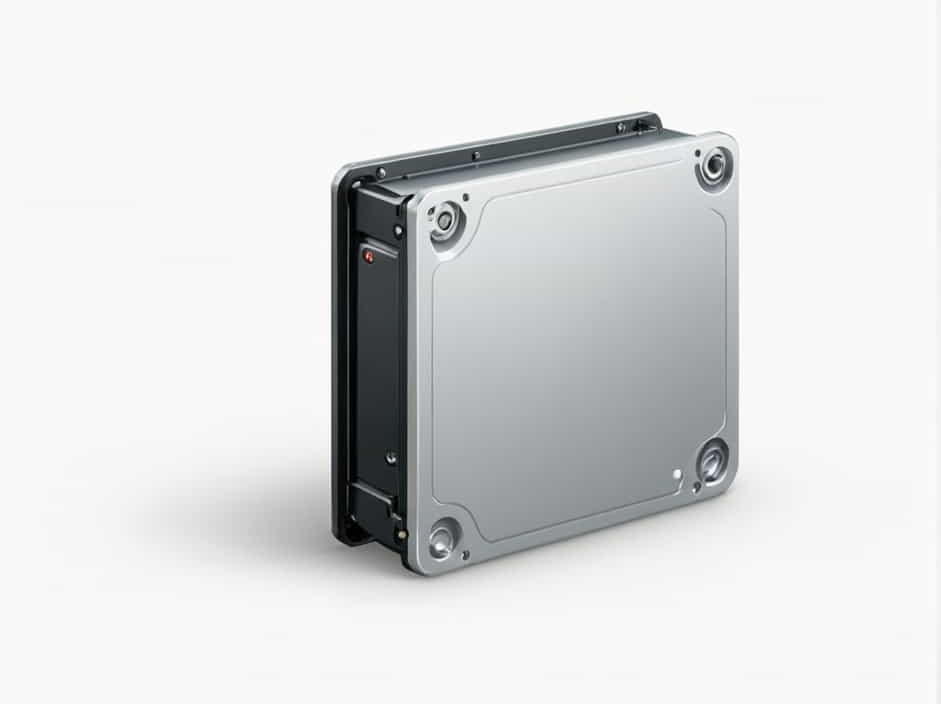
A hard drive enclosure is an external casing designed to house an internal hard drive, transforming it into an external storage device. These enclosures are typically used to protect and support the hard drive while providing an easy connection to computers or other devices. By placing a hard drive inside an enclosure, users can effectively convert a traditional internal hard drive into an external one, allowing for portability, increased storage capacity, or simply repurposing an old drive.
In this topic, we will dive deeper into what a hard drive enclosure is, its benefits, types, and how to choose the right one for your needs.
How Does a Hard Drive Enclosure Work?
A hard drive enclosure is essentially a protective case for your hard drive. It usually consists of several key components:
-
Casing/Outer Shell: The outer shell is typically made of durable materials such as aluminum, plastic, or steel, offering protection from physical damage. It is designed to hold the internal hard drive securely in place.
-
Interface Connection: This is where the enclosure connects to a computer or another device. It can either be a USB connection (the most common type), Thunderbolt, or eSATA, depending on the specific enclosure. The connection allows the data from the hard drive to be transferred to and from the computer.
-
Power Supply: Some enclosures require an external power supply, especially for larger desktop hard drives that consume more power. Others, particularly those designed for smaller laptop hard drives, can draw power directly from the computer through the interface connection.
-
Internal Components: Inside the enclosure, you’ll find connectors and circuitry that interface with the hard drive. These are responsible for ensuring the smooth communication between the hard drive and the computer.
Once an internal hard drive is inserted into the enclosure, the system functions as if the drive is an external device, allowing data to be accessed and transferred.
Benefits of Using a Hard Drive Enclosure
Using a hard drive enclosure comes with numerous advantages. Whether you’re looking for portability, extra storage, or a way to extend the lifespan of an old hard drive, here are the main benefits:
1. Portability and Convenience
One of the main reasons for using a hard drive enclosure is to make your internal hard drive portable. By putting a traditional hard drive into an enclosure, it becomes an external drive that can easily be carried around. You can use the external hard drive to transfer data between different computers or back up important files without the need to install the drive inside a computer.
2. Data Backup and Storage Expansion
A hard drive enclosure offers an easy way to back up your data. Instead of relying on cloud services or having to worry about data loss, you can store your files on an external hard drive that you can carry with you or store securely. Additionally, if you’re running low on storage space on your computer, you can use a hard drive enclosure to expand your storage capacity.
3. Repurposing Old Hard Drives
If you have old internal hard drives lying around from an old computer, a hard drive enclosure is a perfect way to give them a second life. Instead of throwing out the old drives, you can place them in an enclosure and turn them into external storage devices. This is especially useful for those who have multiple drives or would like to access old files without the need to install the drives in a new computer.
4. Better Cooling and Protection
Many hard drive enclosures are designed with built-in cooling mechanisms, such as heat dissipation plates or fans, which prevent your hard drive from overheating. This is particularly important if you’re using a hard drive for extended periods of time. By preventing overheating, an enclosure can help preserve the longevity of your hard drive and ensure it runs smoothly.
5. Data Security
Hard drive enclosures also come with features to enhance security. Some enclosures come with built-in encryption, password protection, or the ability to lock the drive, ensuring that your data remains safe from unauthorized access. This is particularly important for individuals who deal with sensitive information.
Types of Hard Drive Enclosures
There are different types of hard drive enclosures, and the right one for you depends on your specific needs and the type of hard drive you have. The main types include:
1. 2.5-inch vs. 3.5-inch Enclosures
The most common classification for hard drive enclosures is based on the size of the internal hard drive:
-
2.5-inch Enclosures: These are designed for laptop-sized hard drives, typically used for SSDs or smaller HDDs. 2.5-inch enclosures are smaller, lightweight, and often powered via USB. They are ideal for users who want portability and need a compact external storage solution.
-
3.5-inch Enclosures: These are larger and designed for desktop hard drives, typically offering more storage capacity. 3.5-inch enclosures require more power to operate and often come with an external power supply. These are ideal for users looking for larger storage capacities and do not require portability.
2. USB vs. eSATA vs. Thunderbolt Enclosures
Hard drive enclosures also differ in the interface they use to connect to a computer:
-
USB Enclosures: USB is the most common and versatile interface for hard drive enclosures. USB 3.0 and USB 3.1 offer high data transfer speeds, making them suitable for most users who require efficient data access and transfer.
-
eSATA Enclosures: These enclosures use the eSATA interface, which provides faster transfer speeds than USB. However, eSATA is less commonly found in modern computers compared to USB.
-
Thunderbolt Enclosures: Thunderbolt enclosures are designed for users who need ultra-fast data transfer speeds. These enclosures are often used by professionals working with large files, such as video editors, as they provide exceptional speeds for data transfer.
3. SSD vs. HDD Enclosures
Depending on the type of hard drive inside, you will find enclosures specifically designed for SSDs (Solid-State Drives) and HDDs (Hard Disk Drives). SSD enclosures typically offer better performance with faster read/write speeds and lower power consumption, while HDD enclosures are better suited for users who need more storage at a lower price point.
How to Choose the Right Hard Drive Enclosure
Choosing the right hard drive enclosure can be tricky, but with the following considerations, you can make an informed decision:
1. Size and Compatibility
Before buying an enclosure, make sure it supports the size of your hard drive. If you have a 2.5-inch drive, make sure the enclosure is designed for 2.5-inch drives. Similarly, if you have a 3.5-inch drive, ensure the enclosure supports that size.
2. Connection Type
Consider the interface your computer supports and choose an enclosure that matches. USB 3.0 is often the best choice for most users, but if you require faster data transfer speeds, you may opt for eSATA or Thunderbolt.
3. Power Requirements
If you are using a 3.5-inch hard drive, you will likely need an external power supply for your enclosure. For portable solutions, a 2.5-inch drive powered via USB may be a better option.
4. Build Quality
Look for an enclosure with sturdy construction to protect the hard drive from physical damage. Aluminum enclosures are popular for their durability and heat dissipation properties.
A hard drive enclosure is an essential tool for anyone looking to repurpose old hard drives, increase storage capacity, or have portable external storage. By offering an easy way to convert an internal hard drive into an external device, enclosures provide convenience, protection, and flexibility. When selecting an enclosure, make sure to consider the size, connection type, power requirements, and build quality to ensure it meets your needs. Whether you’re a casual user looking for extra storage or a professional working with large files, a hard drive enclosure can help you achieve your storage goals.